
Fully Offline
Zero outbound requests, no telemetry, no CDN, no auto-update. Works with the cable unplugged — don't trust it? Verify with a packet capture.
OUTBOUND REQUESTS: 0
XiaoyaoBill Desktop · Fully Offline
XiaoyaoBill Desktop is a privacy-first desktop app for personal bill analysis. Drop your Alipay or WeChat bill files into the window — parsing, statistics, and visualization all happen entirely on your machine. Zero outbound requests; your bills never leave your computer. Enable the built-in MCP server, and XiaoyaoClaw can analyze your bills in a single sentence.
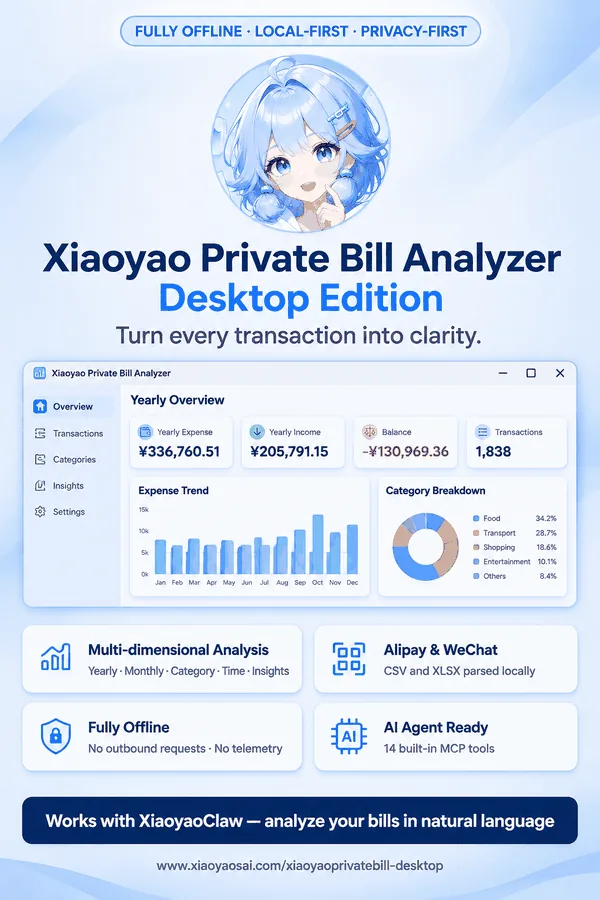
XiaoyaoBill Desktop — a privacy-first personal bill analyzer
01 · PRIVACY
Want to analyze your Alipay or WeChat bills, but worried about uploads and leaks? Most online tools start by asking you to upload the bill file. XiaoyaoBill Desktop moves the entire analysis pipeline onto your computer — it never goes online at all.
Zero outbound requests, no telemetry, no CDN, no auto-update. Works with the cable unplugged — don't trust it? Verify with a packet capture.
OUTBOUND REQUESTS: 0
Bills live in your local app data directory — bills/ is the single source of truth. Clean up anytime; uninstalling never wipes them by accident.
DATA: 100% LOCAL
Alipay CSV and WeChat CSV/XLSX with automatic source and encoding detection; pick files from a native dialog, or just drag them onto the window.
ALIPAY CSV / WECHAT CSV+XLSX
Recycle bin, snapshots, and audit logs — three layers of safety, never auto-cleaned. Deleted a bill by mistake? Roll back anytime; every action is traceable.
RECYCLE / SNAPSHOT / AUDIT
Built with Tauri 2.x + Rust: custom title bar, collapsible sidebar, system tray, single instance, and window-state memory.
TAURI 2.X + RUST
7,396 built-in demo records let you explore every feature before importing your own bills; all write operations are disabled in demo mode.
7,396 DEMO RECORDS
02 · ANALYSIS
Import a bill and switch between annual, monthly, category, time, insights, and transaction views. Not ready to use your own data? 7,396 demo records are built right in.
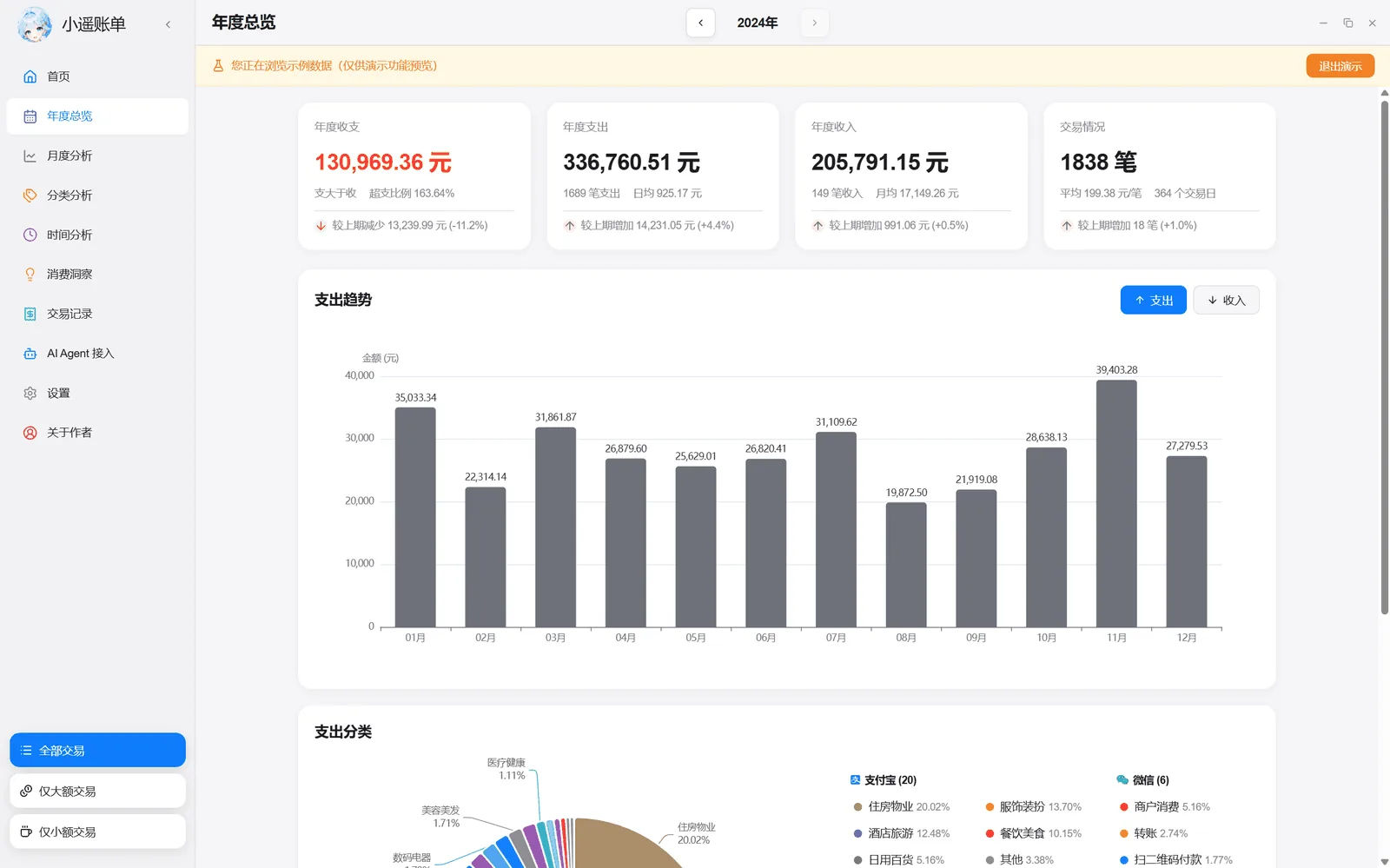
Yearly spending, income, and balance at a glance; 12-month trend, category share, and source breakdown make a year of expenses instantly readable.
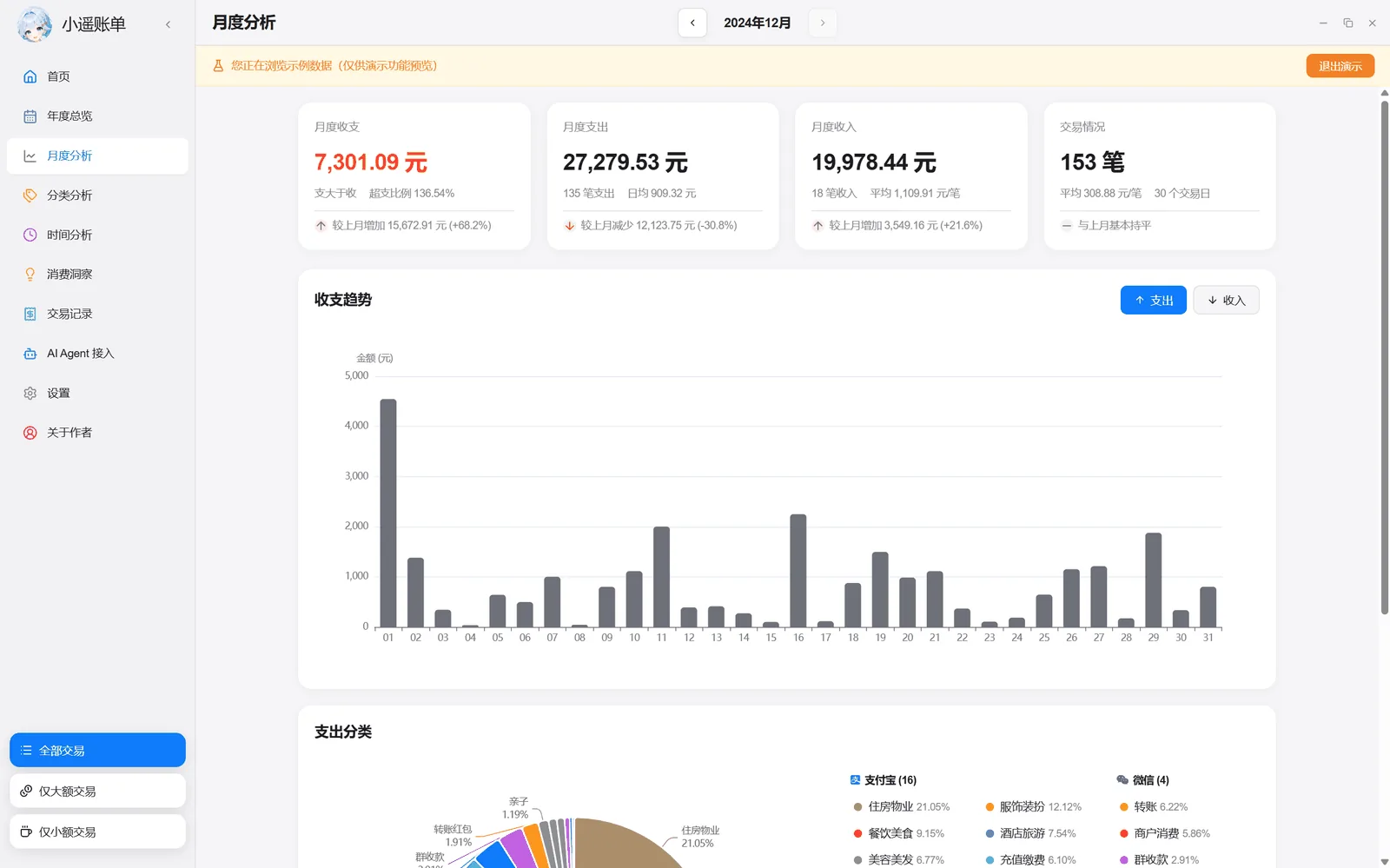
Month-over-month changes, daily average, and a spending calendar that flags the days you went over.
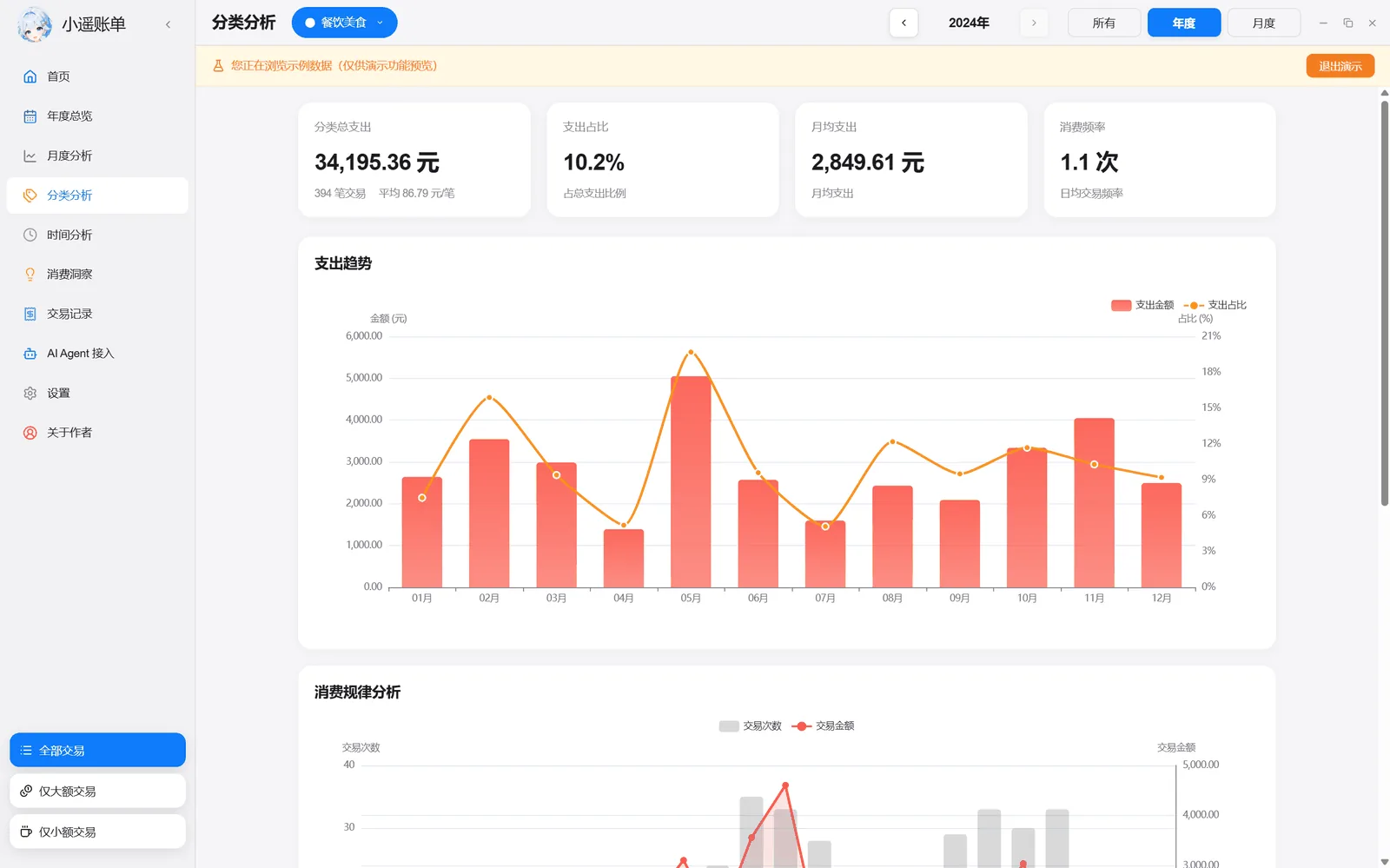
Category share donut, rankings, and drill-downs — food, transport, and shopping each get their exact share.
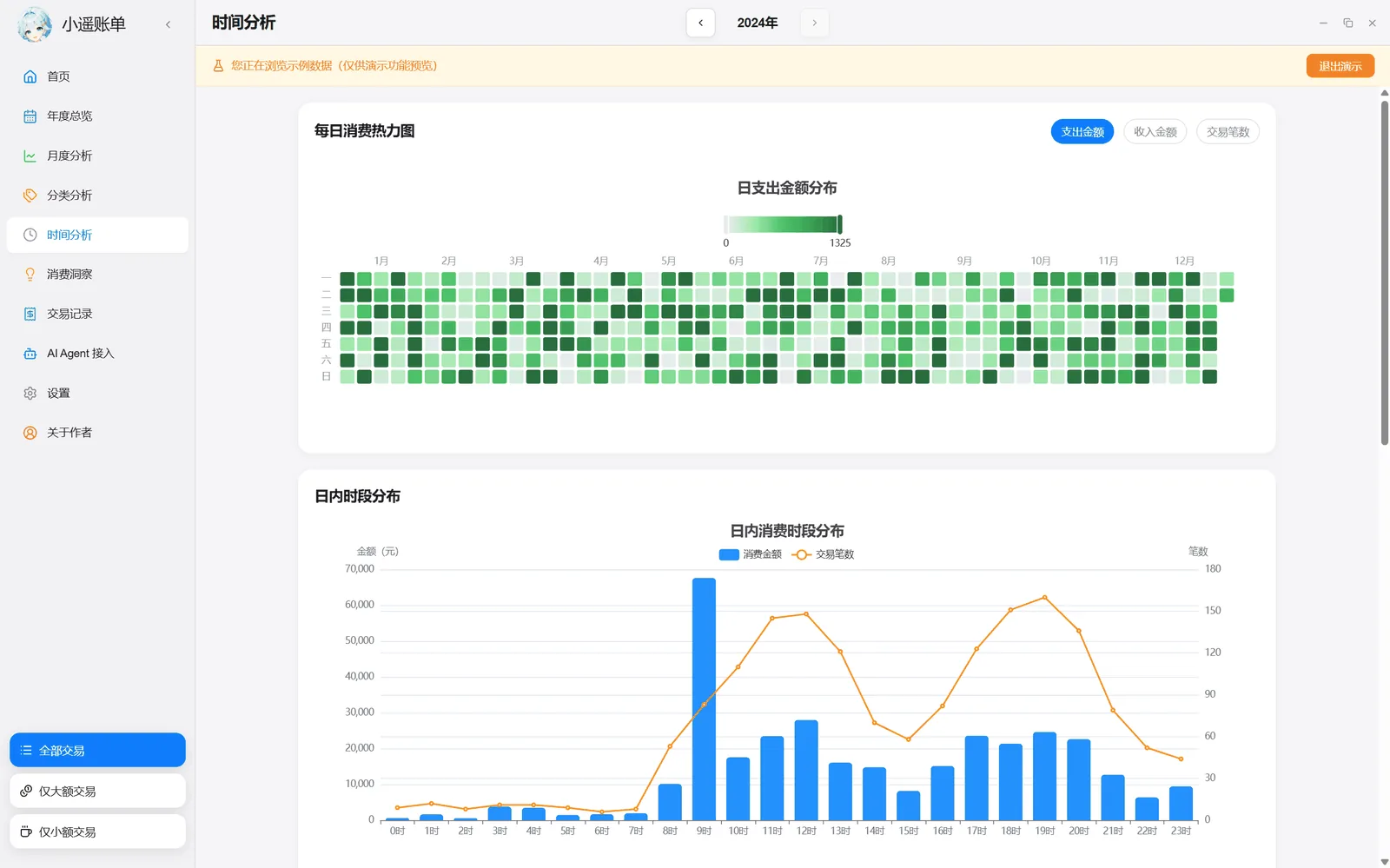
24-hour spending distribution, calendar heatmap, weekday-vs-weekend comparison — late-night orders can't hide.
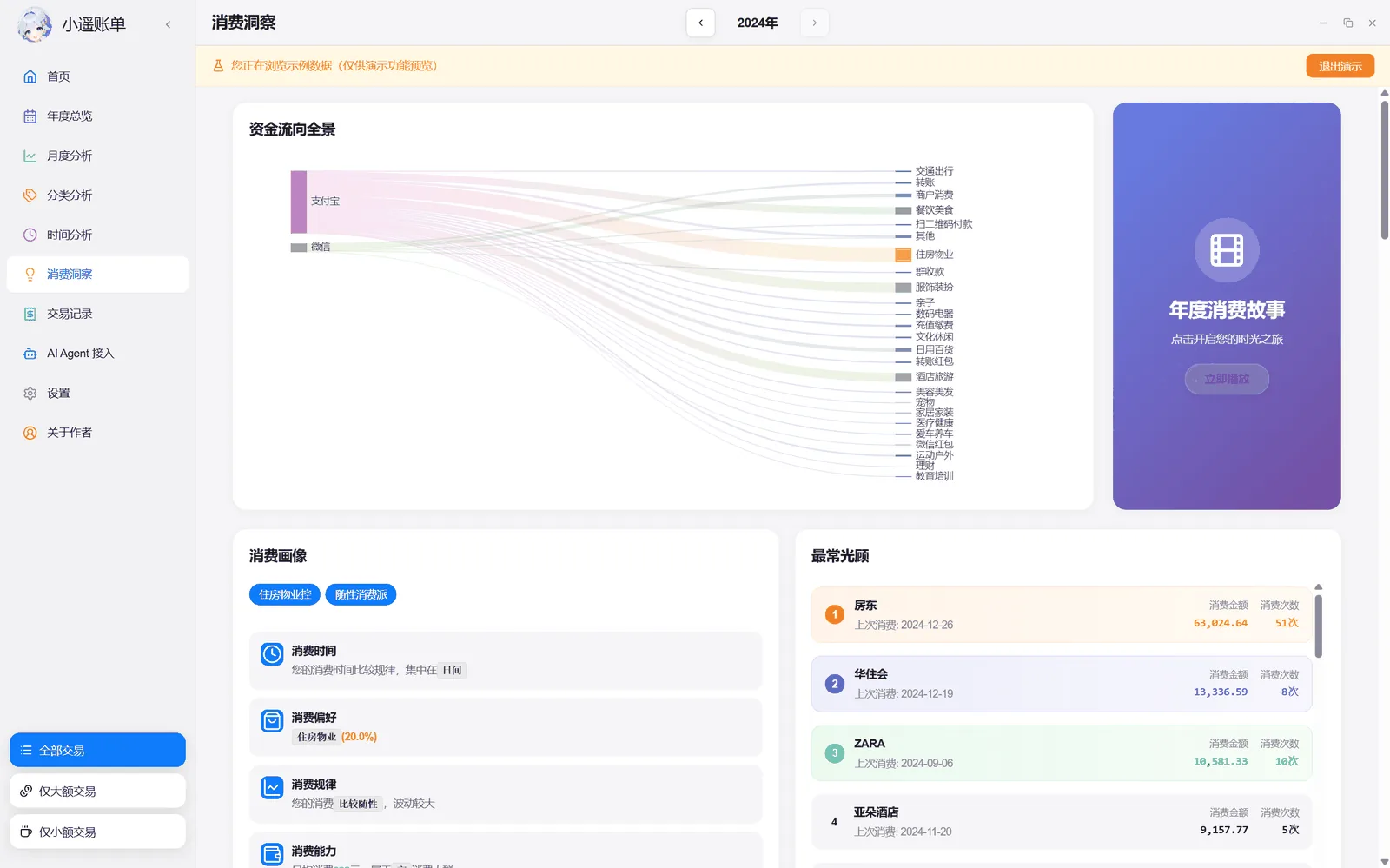
Top merchants, large expenses, latte factor, late-night spending, subscription charges, Engel coefficient… 23 insights that review your habits for you.
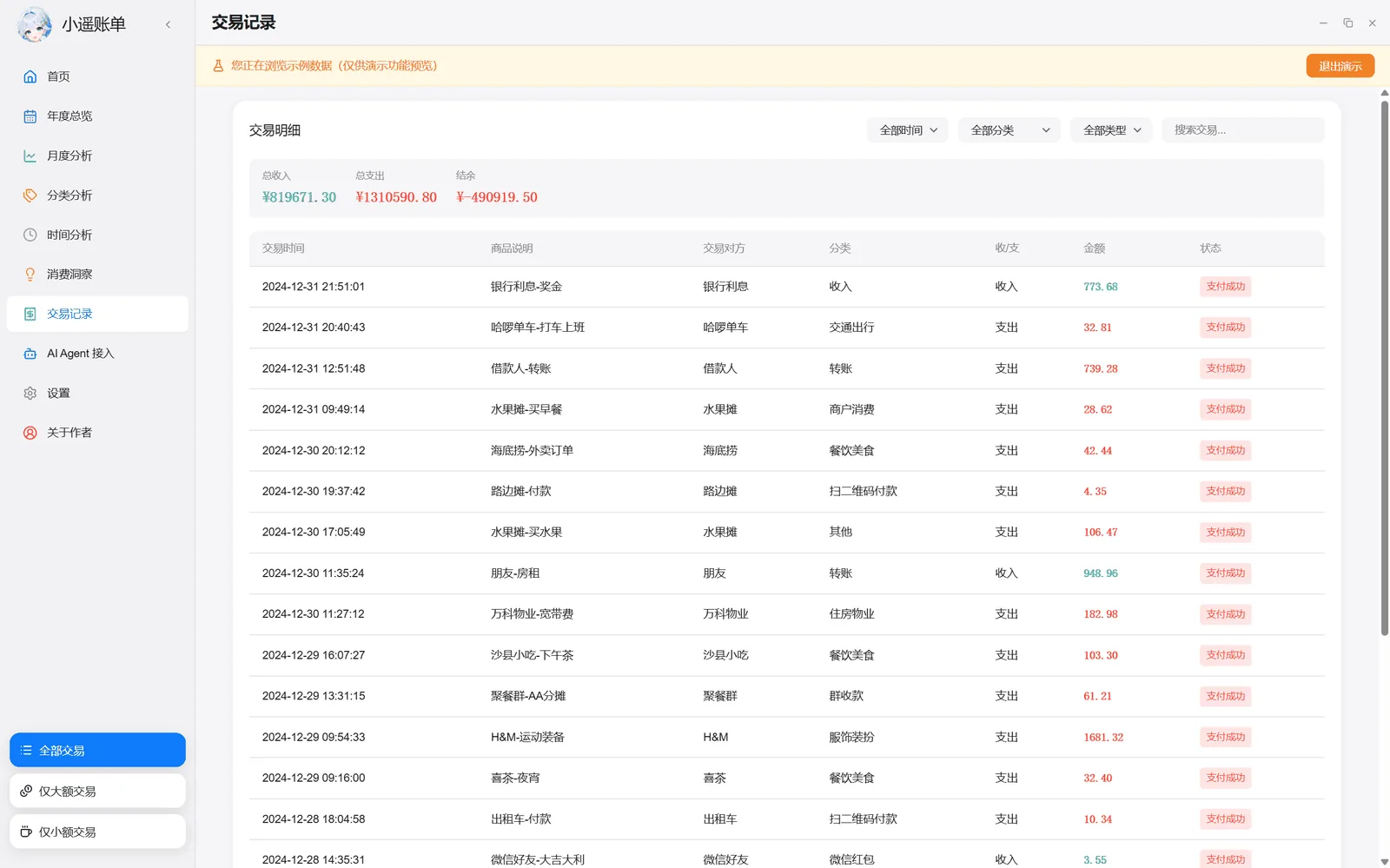
Full-text search, multi-dimensional filters, pagination — every record traceable and verifiable.
03 · SHARE POSTER
Generate a 1080×1440 portrait poster from your annual or monthly bill in one tap: eight templates, per-item amount toggles, and sensitive numbers you can hide before sharing. Posters are generated on your machine, with the official site QR code built in.
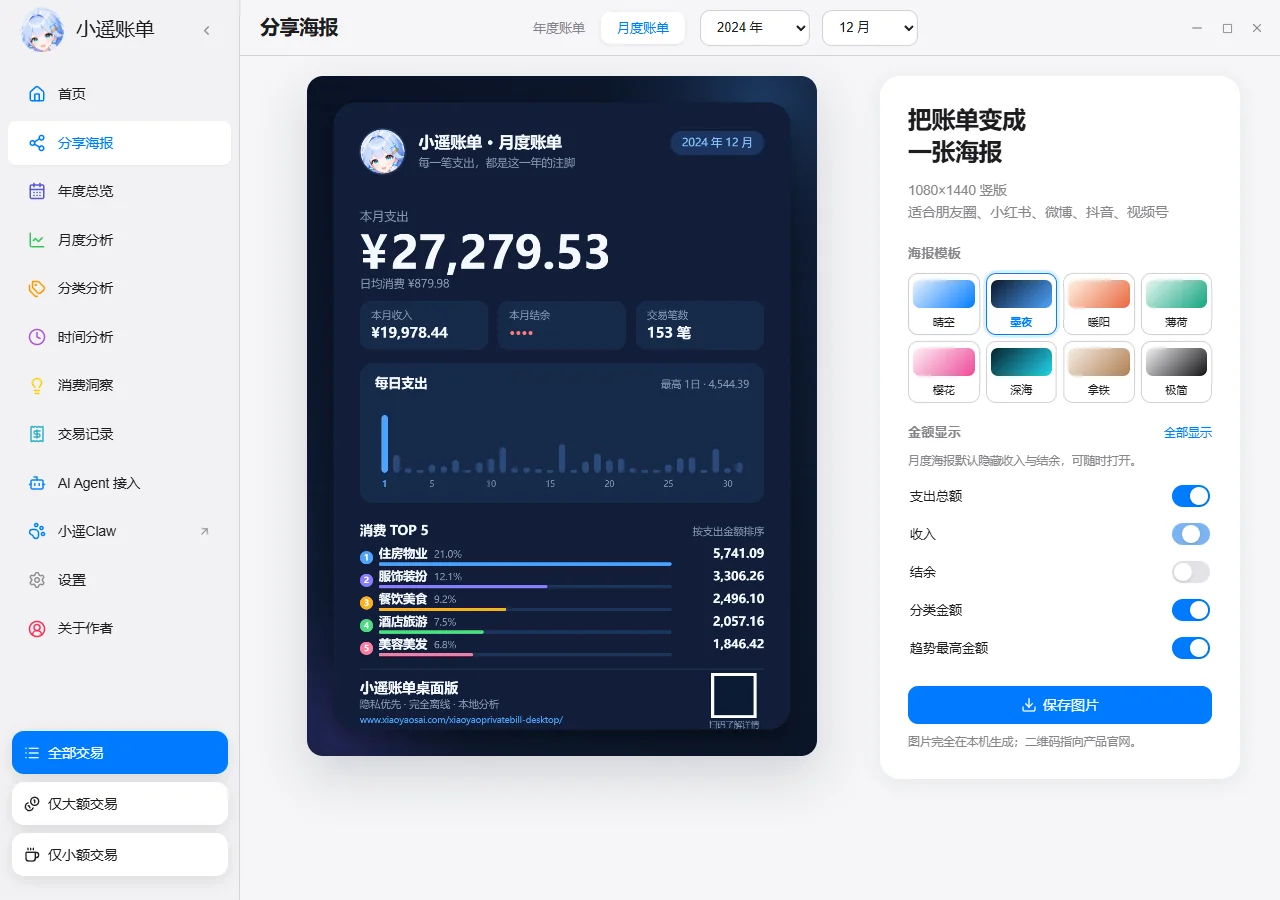
Clear Sky, Midnight, Warm Sun, Mint, Sakura, Deep Sea, Latte, and Minimal. Toggle income, balance, and category amounts individually — hide sensitive numbers before you share.
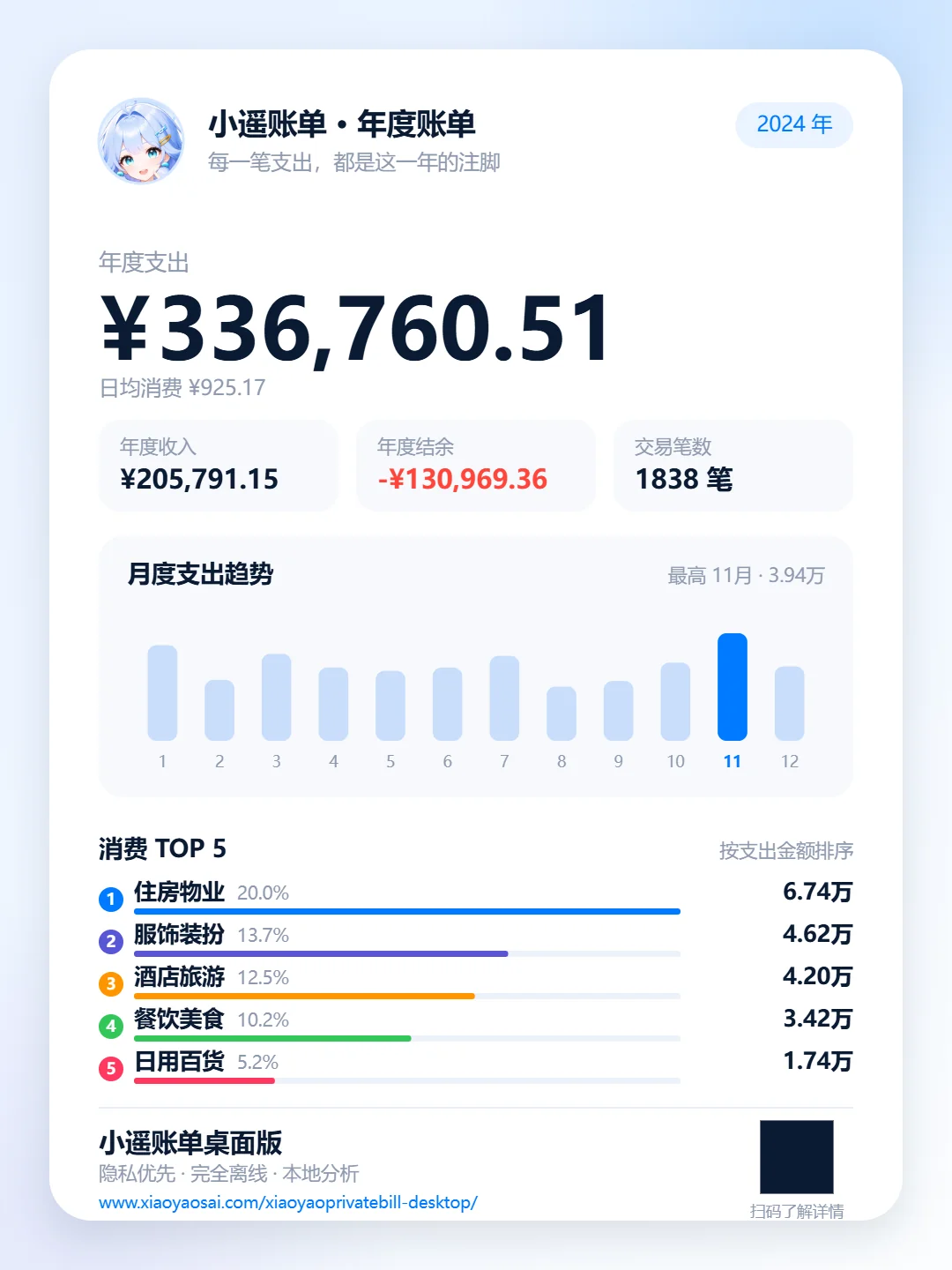
Annual and monthly posters are generated entirely on-device, with the official site QR code built in — ready for Instagram, Xiaohongshu, Weibo, or Douyin.
04 · AI AGENT
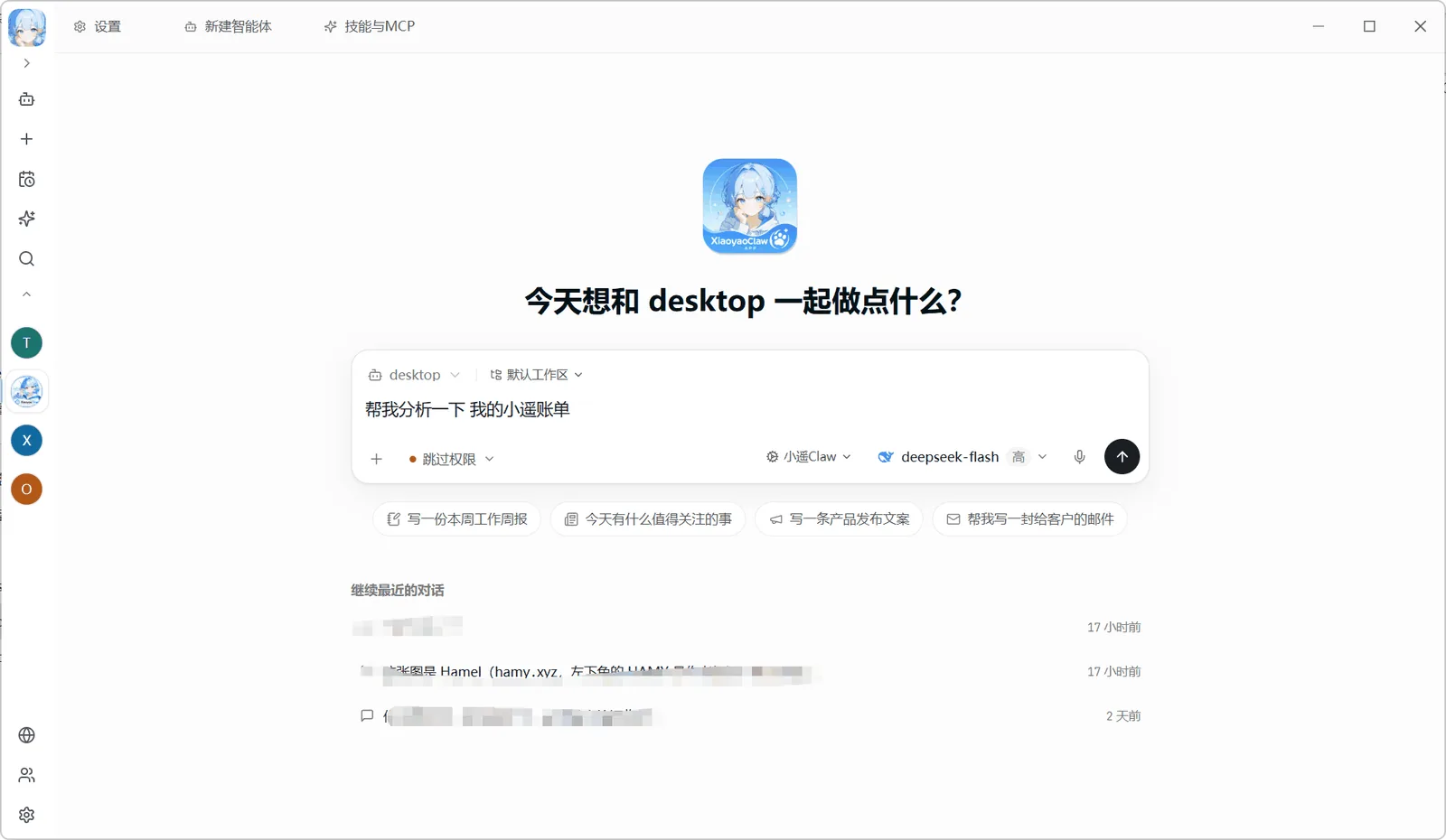
A standard MCP (Model Context Protocol) server is built in. Once enabled, AI agents like XiaoyaoClaw can query, aggregate, and report on your bills in natural language — while your data stays on your machine.
One toggle in Settings, off by default; loopback only.
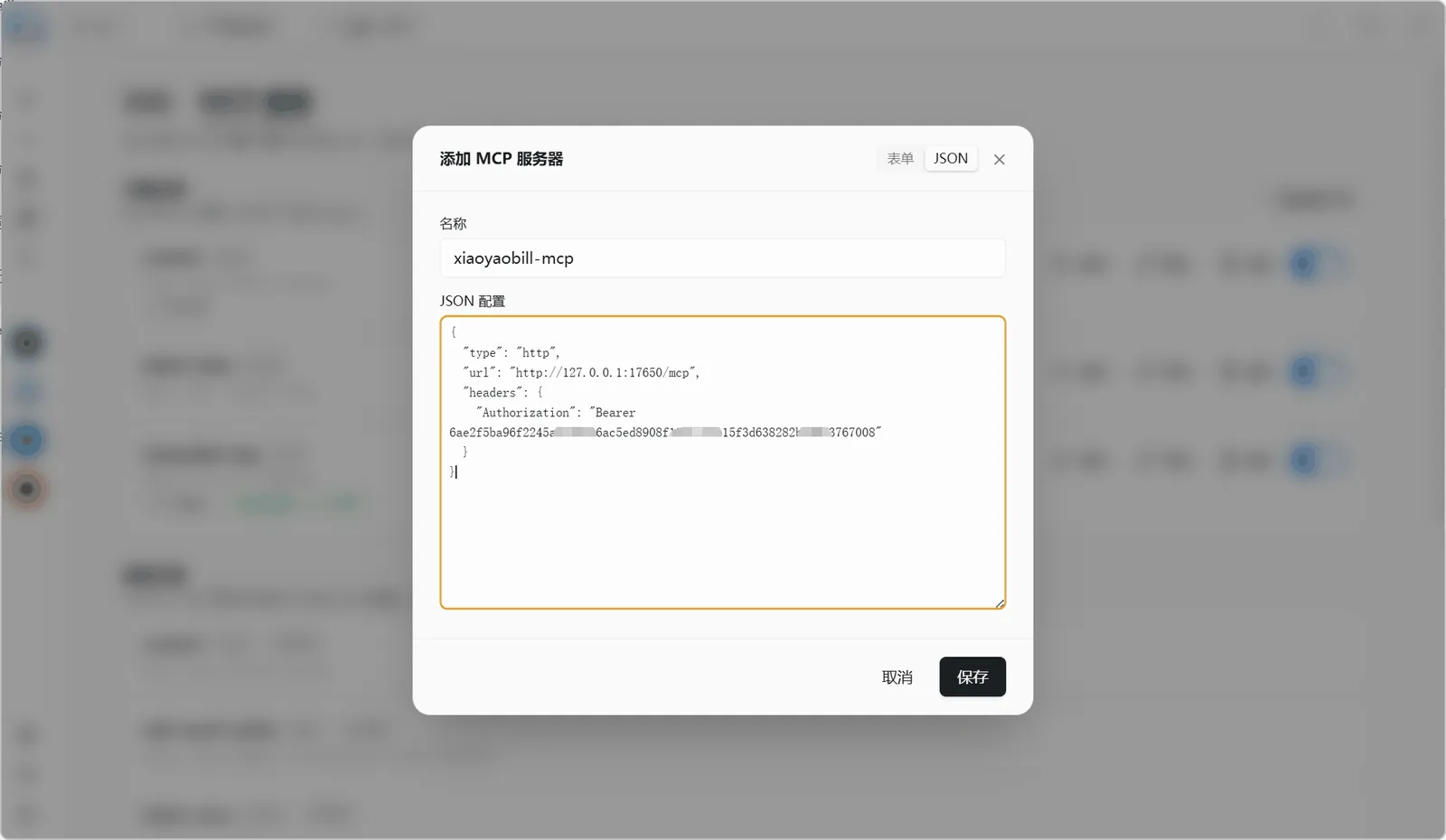
A ready-made JSON config is generated for you.
"Connected · 14 tools" ready to go.
"Analyze my Xiaoyao bills."
One toggle in Settings, off by default; loopback only.
A ready-made JSON config is generated for you.
"Connected · 14 tools" ready to go.
"Analyze my Xiaoyao bills."
MCP CONFIG · XIAOYAOCLAW / ANY MCP CLIENT
// Config pasted in STEP 2 (token generated in the app)
{
  "type": "http",
  "url": "http://127.0.0.1:17650/mcp",
  "Authorization": "Bearer <YOUR_TOKEN>"
}
Standard Streamable HTTP MCP server · Bearer token auth · loopback only
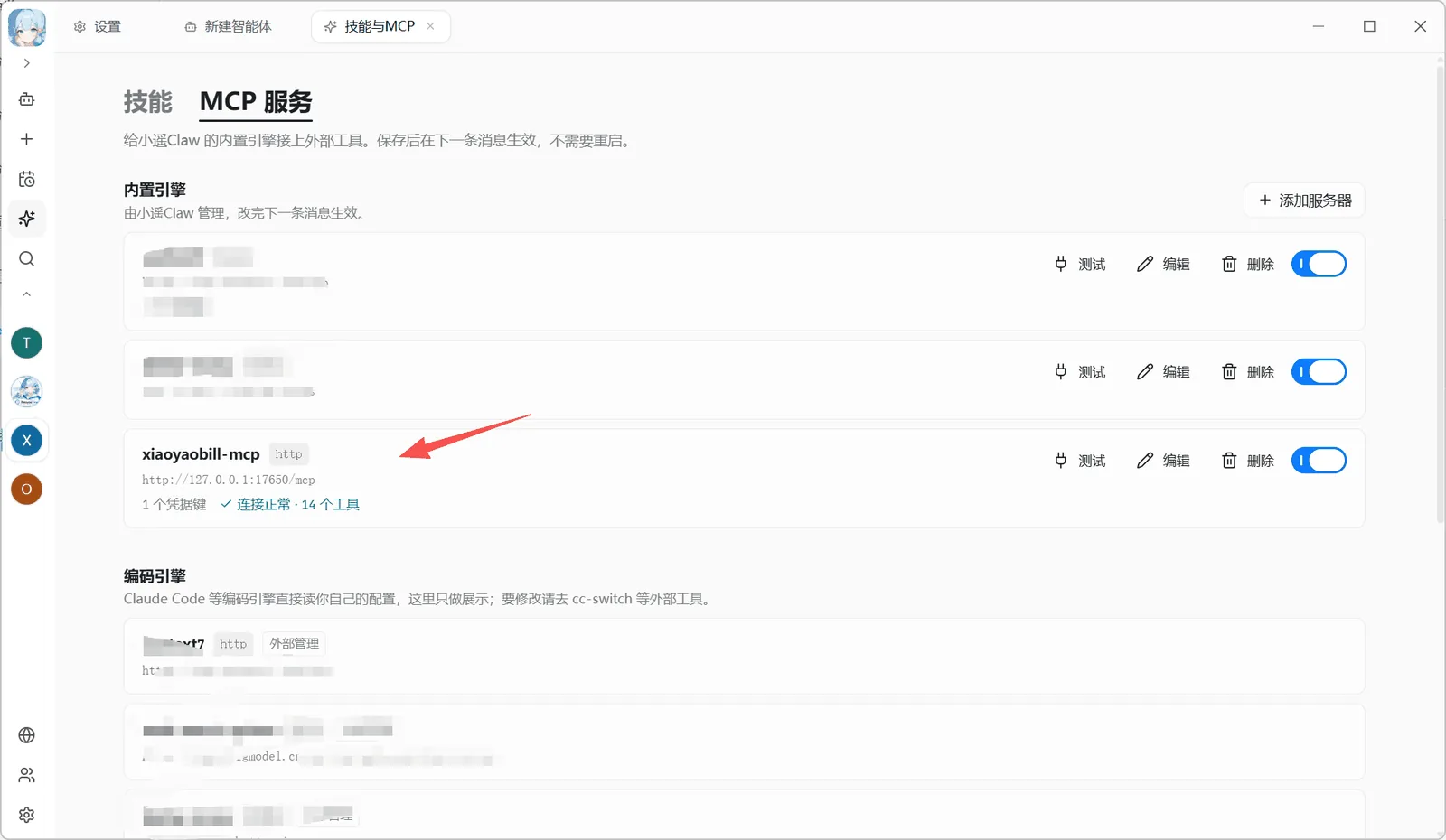
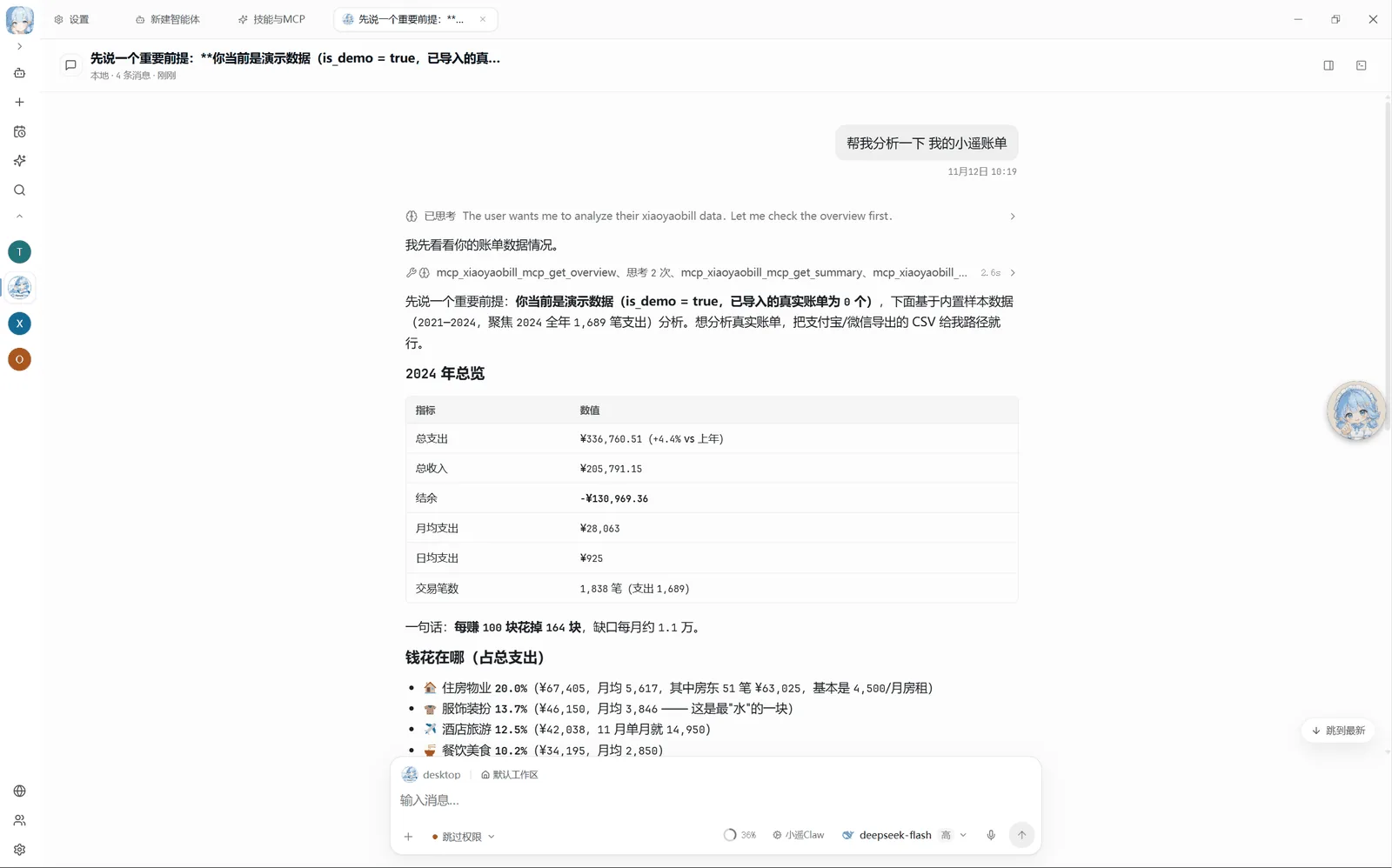
Read ×10: summaries, monthly stats, category stats, merchant rankings, large expenses, subscription detection, insights…
Write ×4: import, delete, snapshot, config — all auditable.
Imports accept absolute paths only, ≤16MB per file; deletions go to the recycle bin first; clearing requires a snapshot; demo mode blocks all writes.
Listens on 127.0.0.1 loopback only — unreachable from the network; Bearer token auth, resettable anytime; whether to hand it to a model is entirely your call.
05 · BY THE NUMBERS
06 · DOWNLOAD
Free and MIT open source. No account, no subscription, no ads — download, install, import a bill, done.
Already using XiaoyaoClaw? Connect the MCP service →